Japanese Ramen Simulator: Co-op Roles, Voice Chat & Kitchen Workflow
Assign practical kitchen roles and organize spatial voice chat, mute and push-to-talk settings for a calmer multiplayer ramen shift.
How should you divide work during co-op?
Divide the shift around preparation, cooking, customer service, serving and cleanup—the activities named in the official Steam description. The assignments below are editorial suggestions for human players. They are not locked character classes, unlockable professions or a measured fastest strategy, and you should change them as orders demand.
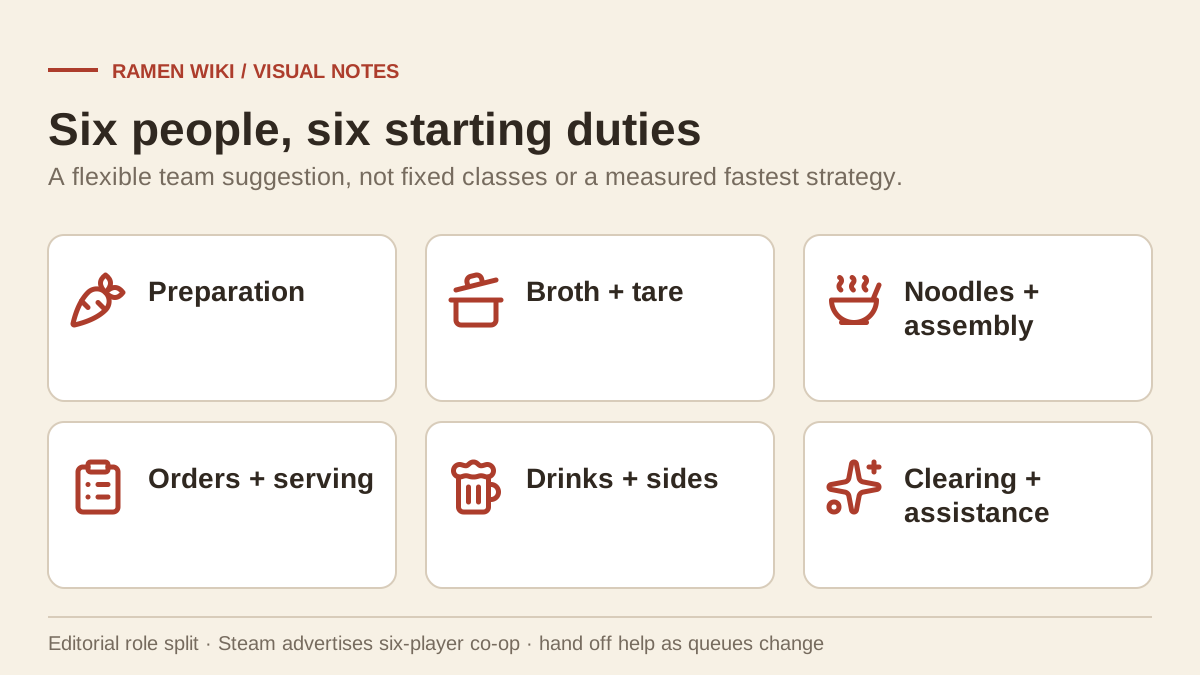
Once everyone has joined using the friend-invitation guide, give each task a clear owner and a backup. A helper can take over a backlog, but announce the handoff before two people start handling the same bowl.
| Group size | Suggested initial assignments |
|---|---|
| Two | One player prepares ingredients and cooks; the other handles customers, serving, drinks and clearing. Swap help toward the current backlog. |
| Three | One handles preparation and broth; one handles noodles and assembly; one handles orders, serving and cleanup. Everyone helps with sides when needed. |
| Six | Assign preparation, broth/tare, noodles/assembly, customers/serving, drinks/sides, and clearing/general assistance to different players. |
This six-player example follows Steam’s advertised capacity. The official October 9 launch press release has a ten-player heading, recommends six, and says six again in its body. Ten-player capacity is untested here; the table does not settle that source conflict.
How do you keep orders from crossing between players?
Give each order one person responsible for tracking it, even when several people contribute ingredients or dishes. That is a team convention, not a special game role. Tell the next person what is ready and who it is for, then let them acknowledge the transfer before you start something else.
Useful short calls include “broth ready,” “this bowl needs toppings,” “beer waiting” and “I am taking this order out.” Add the customer or order information visible to your group. Avoid invented ticket shortcuts or a promise that a particular holder is available; the orders and tickets guide separates confirmed service behavior from unanswered ticket questions.
If a thief or fire interrupts service, name the player responding. Everyone else can continue their agreed duties instead of crowding the same emergency.
How does spatial voice chat affect kitchen communication?
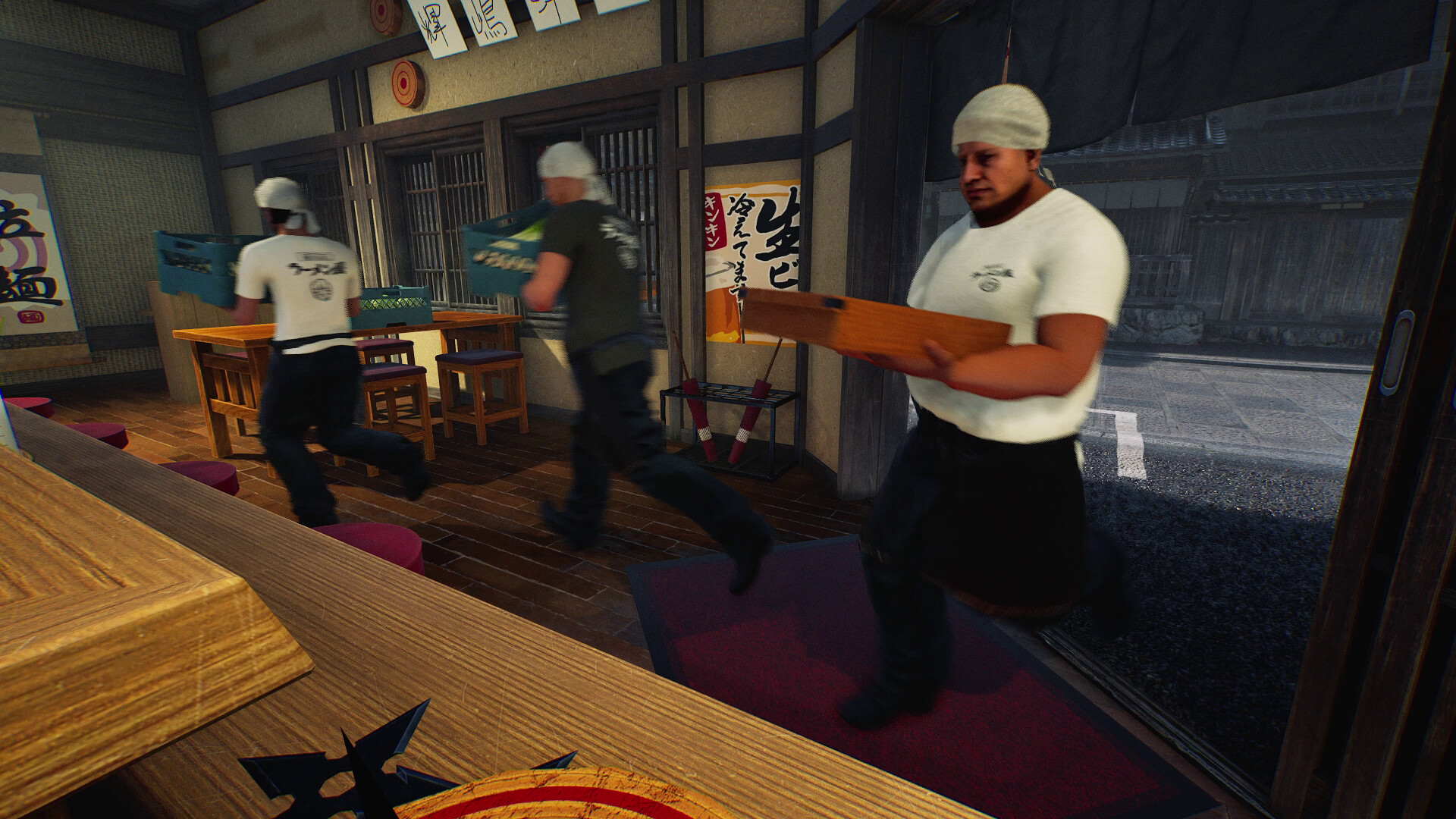
The official store confirms spatial voice chat, with distance and walls changing how voices sound. Keep a short handoff conversation within hearing range and test it before opening. Wild Dog’s Day 1 patch also confirms that mute and push-to-talk settings apply immediately after joining a multiplayer session.
Check the voice settings displayed by your installed build and verify which participants are muted or using push-to-talk. No default talk key or precise settings-menu path has been verified for this page.
A player behind a wall may hear a different level of speech from somebody beside the stove. Walk closer for an important handoff, use brief acknowledgements, or agree on a separate group call if spatial audio is inconvenient. That is a communication choice, not a required extra application.
How should you account for NPC clearing support?
The store confirms part-time NPC help for solo play, and the current patch adds dish-clearing duties. Availability alongside a human co-op team has not been checked here. Where staffing is available, plan around the confirmed tasks: collecting dishes, trays and empty drink bottles.
Returned empty bottles are disposed of automatically. The patch also confirms a dedicated dishwasher for dish-clearing staff, with the waiting position visible during placement. See the staff and solo-play guide for the exact confirmed behavior before treating an employee as a replacement for a human cook.
Keep the staff waiting area and the route between workstations clear. The layout and My Designs guide covers placement information; no universal aisle width or fixed throughput increase has been established.
When should you change the division of work?
Reassign help when one station has a queue while another player is idle. Watch actual orders rather than assuming the largest group is automatically the most efficient. After a few handoffs, agree on the next adjustment and name the new owner. Keep responsibilities clear while leaving enough flexibility for drinks, cleanup and unexpected interruptions.
For example, if prepared bowls wait for delivery, send the spare player to serving. If dirty dishes pile up, temporarily prioritize clearing. If somebody loses track of orders, pause the handoffs long enough to agree which order each person owns.
Editorial scope: These workflow suggestions contain no productivity multipliers or NPC salary assumptions. Official facts come from the Steam description and v0.1.48.17626 announcement linked above, reviewed on October 10, 2026.
Related game screenshots
Related Articles
multiplayer
Japanese Ramen Simulator: Connection Timeout & Co-op Troubleshooting
Work through connection timeouts and invite failures, check VPN and firewall permissions, and collect useful details for a bug report.
multiplayer
Japanese Ramen Simulator: How to Invite Friends & Start Co-op
Start a friend co-op session using confirmed invite-code features, understand conflicting player-count claims and prepare before opening.
Was this helpful?
Thanks for the feedback!